
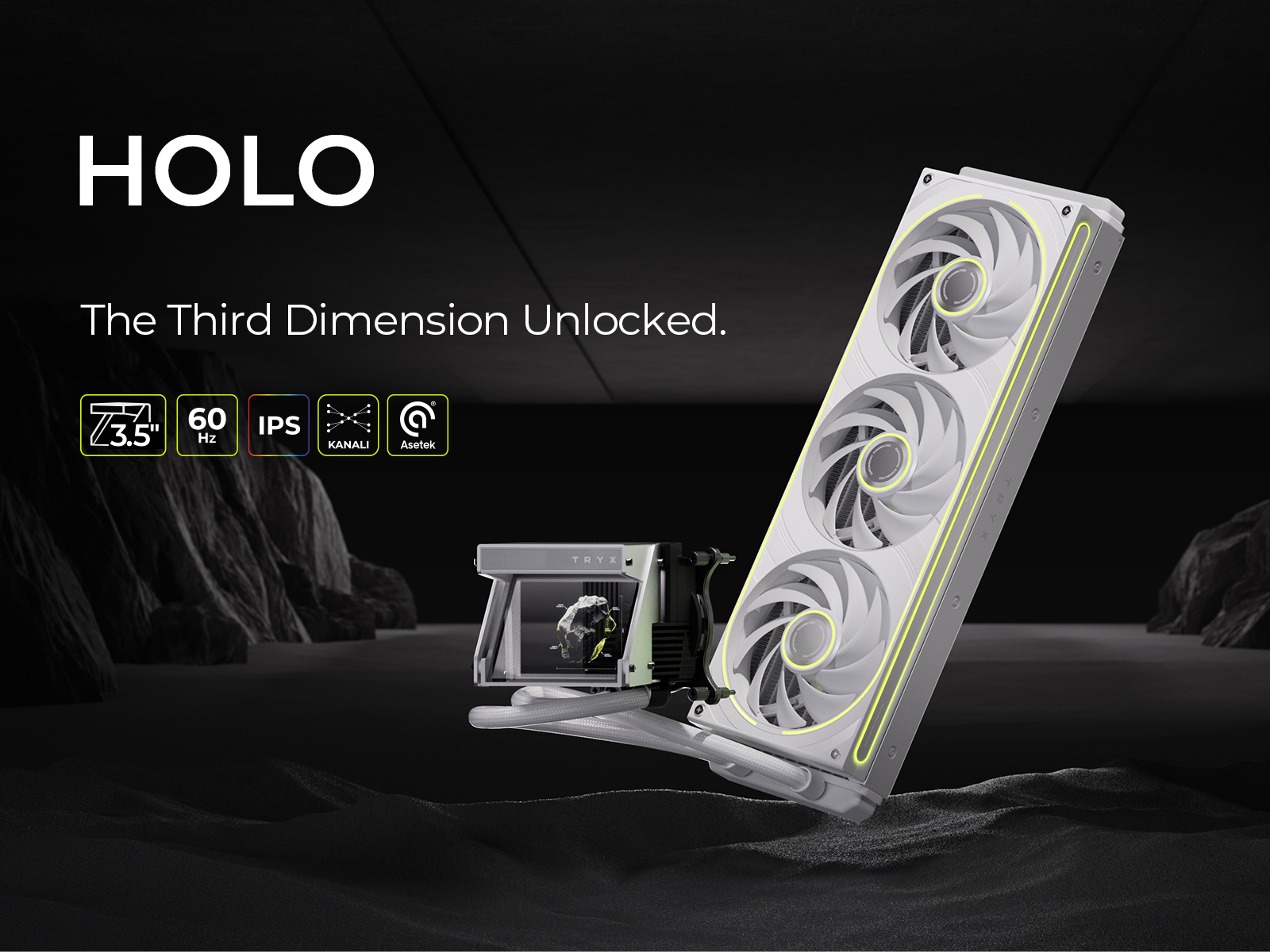


TRYX PANORAMA WB CPU Water Block White
PANORAMA WB - CPU Water Block
Tailored for Enthusiasts
Designed for DIY custom-loop builds, the PANORAMA WB combines cutting-edge cooling and stunning aesthetics for high-performance rigs.
Stunning 6.67-Inch 2K AMOLED Display
Features an L-shaped AMOLED screen at 60Hz, delivering vibrant, customizable content from multiple angles, making it a showstopping centerpiece.
Premium 90° Rotary Fittings
Crafted from H57-class brass with 360° rotation and anti-slip texture, ensuring secure and flexible connections for your cooling loop.
Broad Compatibility
Supports Intel LGA 1851/1700/1200/115x and AMD AM4/AM5 sockets, plus G1/4" threaded ports for easy integration into custom-loop setups.
Choose options
Awesome. The screen is perfect

Easy instal looks great and keeps my over licked ver clocked 14gen intel well below 75 degrees during heaven loads.
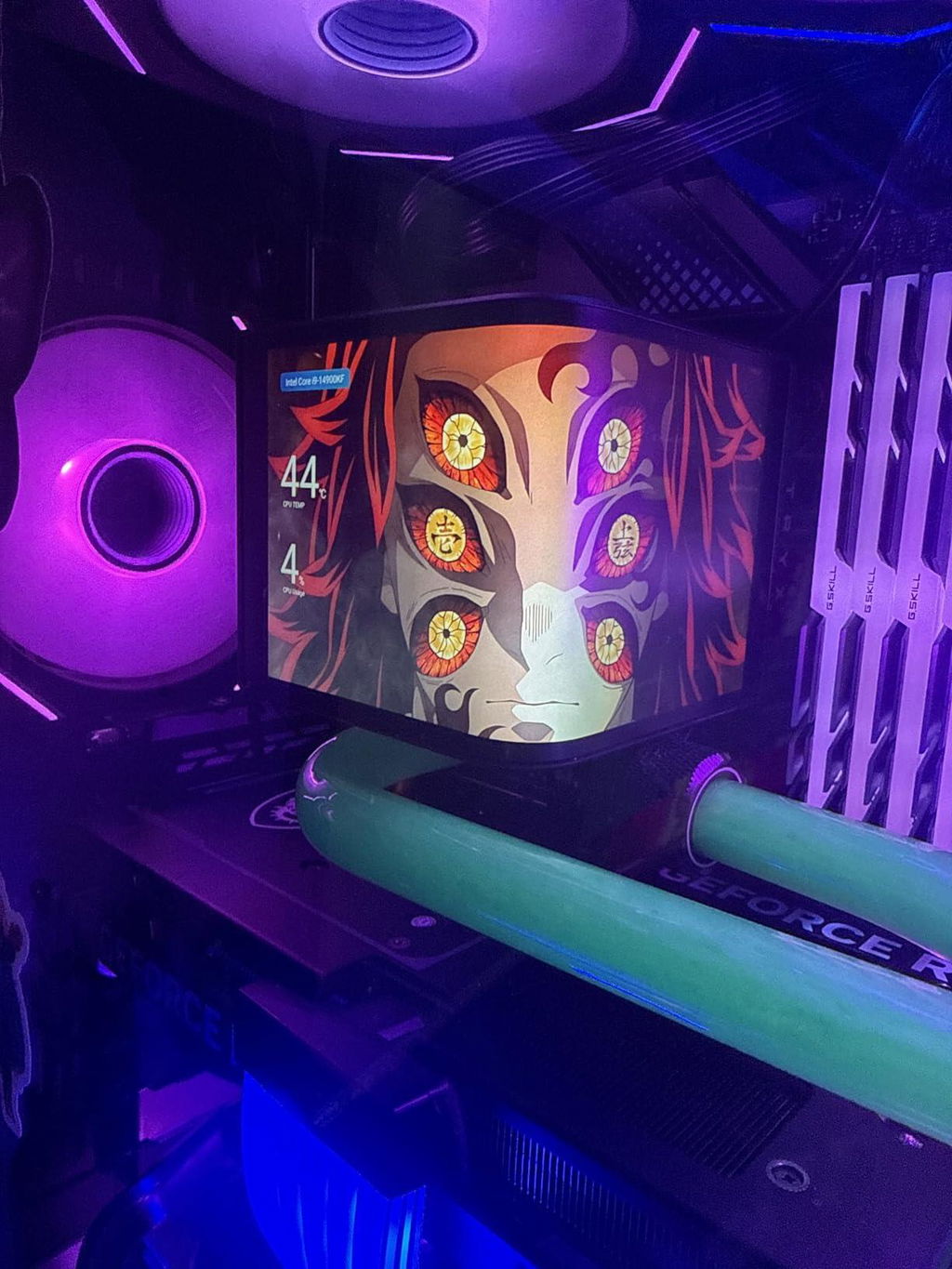
nice
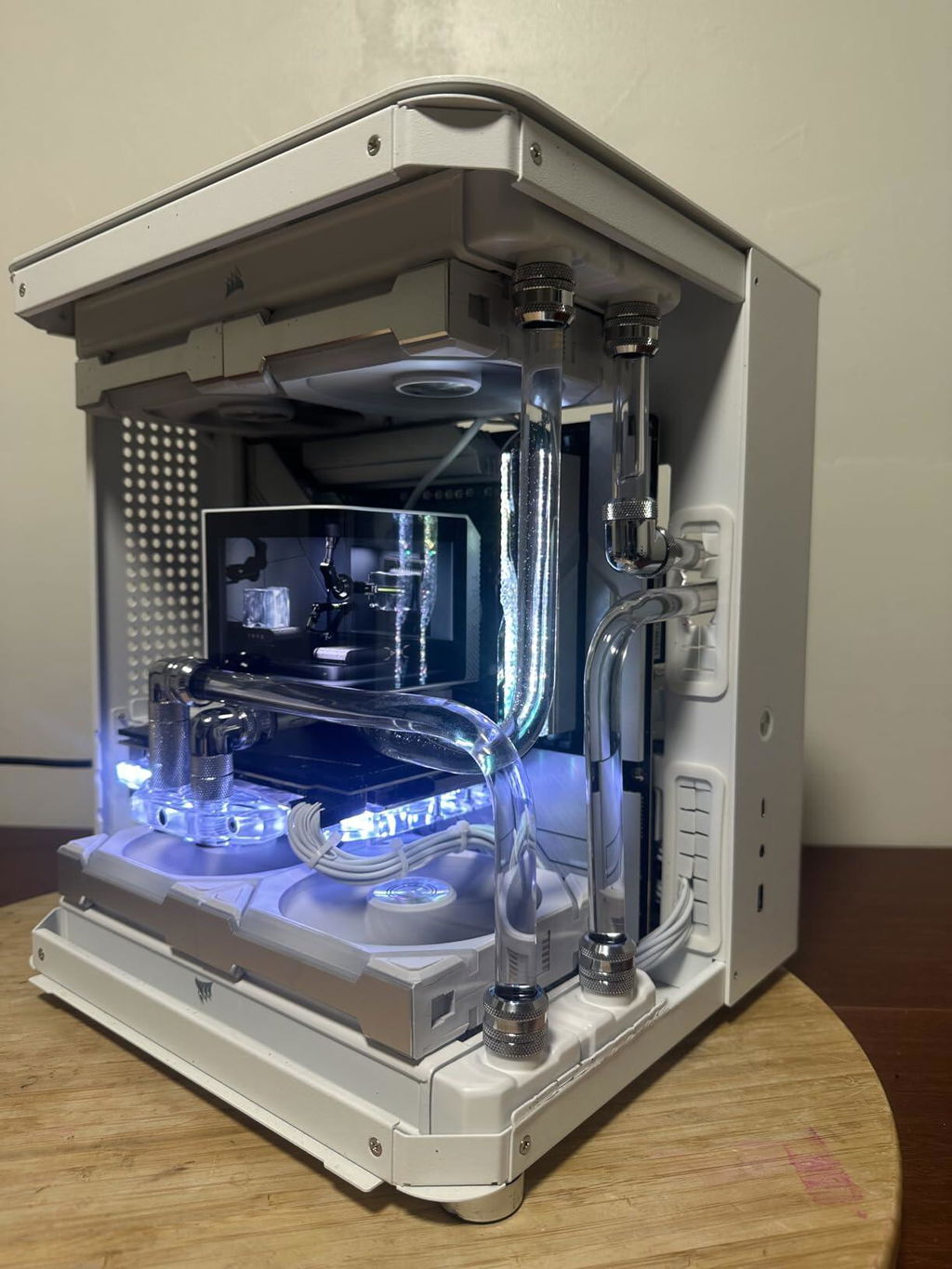
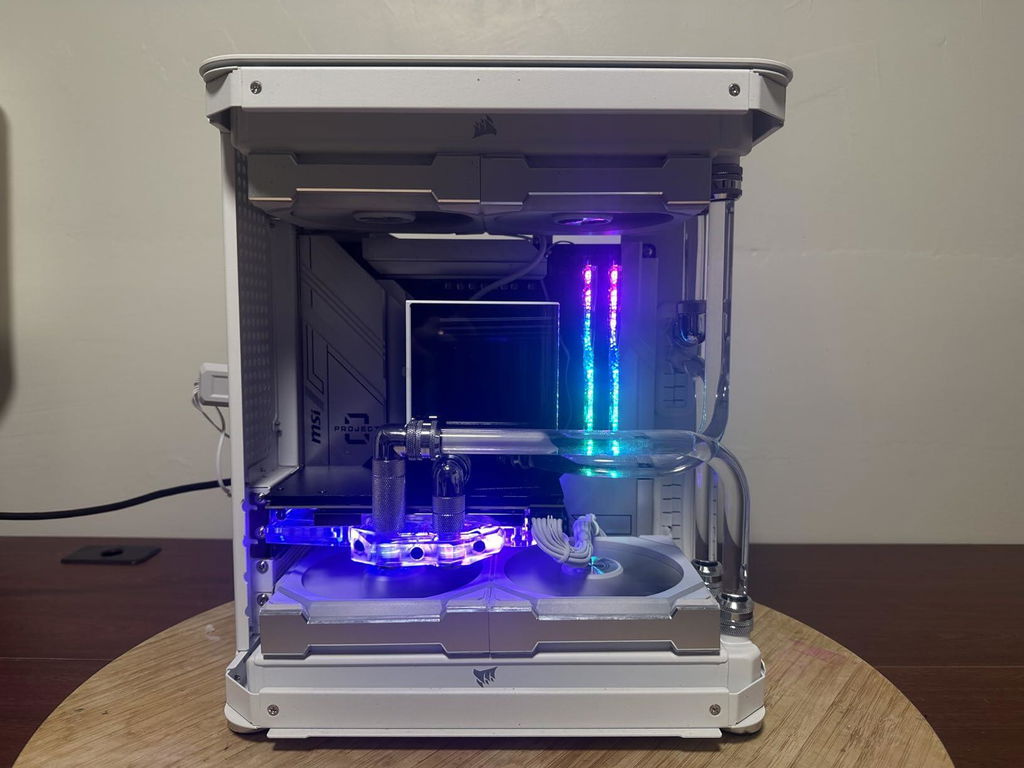
I'm so happy that TRYX brought their awesome Panorama screen to the water loop enthusiasts. The screen stands out in any build and features some great customization options. It's a big screen in an ATX tower. The large curved screen looks amazing with it's 2k resolution and the curve actually makes some videos appear three dimensional. It's similar to some of the curved screen billboards that do the same thing. It really adds a level of wow to a builds appearance.Building a custom water loop isn't easy but TRYX does a good job making the water block installation an easy part of the process. If you've installed any AIO it's really no different securing the cooling plate onto the CPU. The difference comes in having to run your own tubes into the unit but TRYX helps by including two 90 degree fittings with very nice rotation range.The VRM fan does a great job of cooling the area around the CPU and legitimately improves performance. There's no pump built into this unit so the only noise would be produced by the VRM fan and I never hear it over any other fan in my system or the res pump. It's quiet. Don't let the videos fool you, what you're hearing in my video examples is my case fans and the pump heavily exaggerated by my iphone mic.The Kanali softwware which controls the customization of the unit is really good. It's intuitive and has some great preloaded options as well as customizing capabilities. If you want to customize, the TRYX discord has a decent sized community that provides some amazing videos to customize your rig.
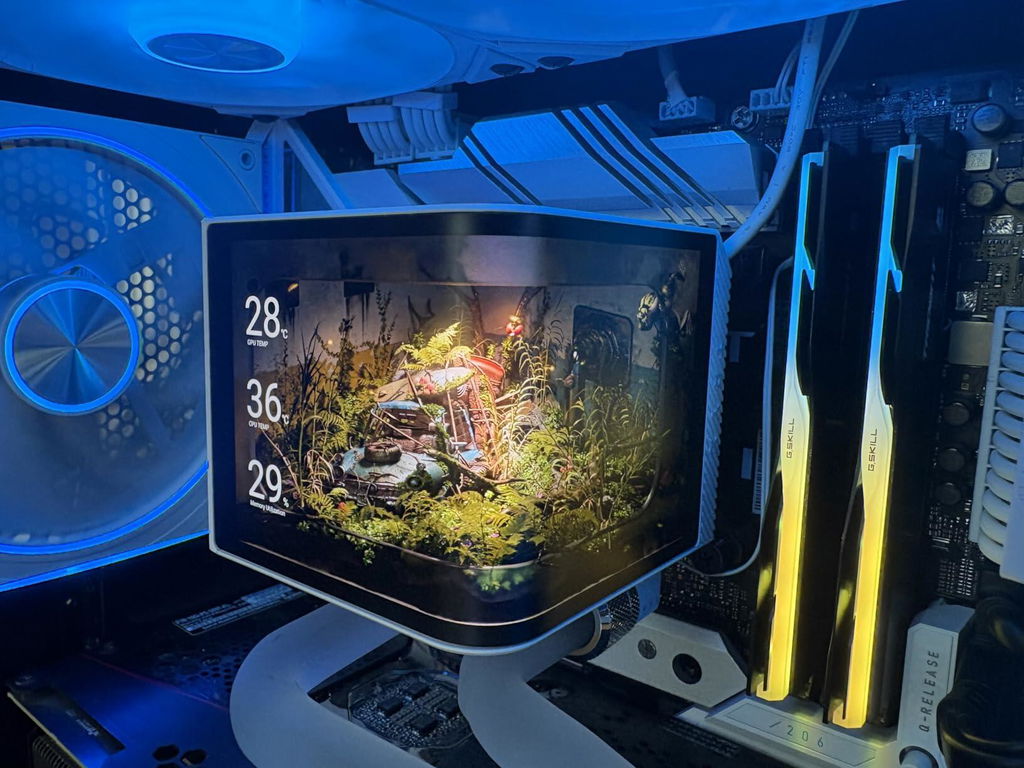
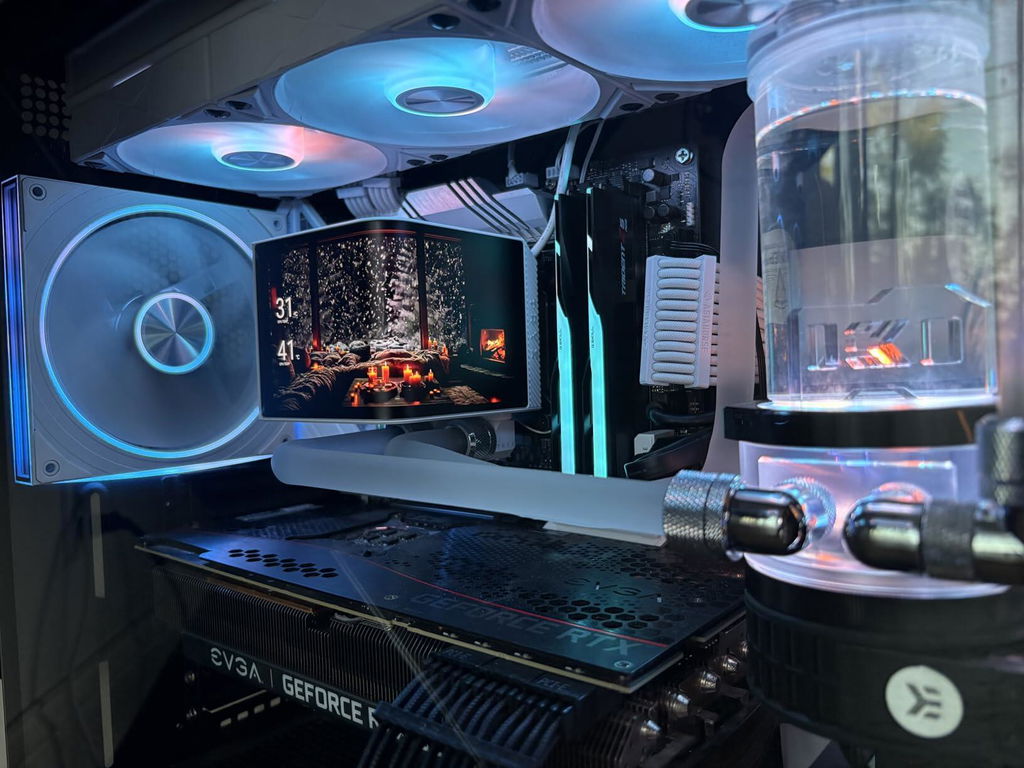
I recently installed the TRYX Panorama WB CPU Water Block in my gaming rig, and I have to say, it’s been quite the experience! First off, the design is sleek and modern. The black finish looks great against my build and the curved 2K AMOLED display adds a touch of flair that really stands out.Performance-wise, the microchannel fins do a fantastic job of cooling my CPU; I've noticed a significant drop in temperatures compared to my previous air cooler. The copper base seems to enhance thermal conductivity, which gives me peace of mind during those lengthy gaming sessions. Plus, the G1/4" threaded outlet was easy to connect to my existing water cooling setup.One thing I particularly appreciate is the integrated VRM fan. It helps keep that area cool, especially when I'm pushing my system with heavy loads. The compatibility with both Intel's LGA 1851/1700 and AMD's AM5/AM4 makes it versatile if you ever decide to switch platforms.Overall, the TRYX Panorama WB has not only improved my cooling performance but also added a stylish touch to my computer. If you’re considering upgrading your CPU cooler, this is definitely a solid option!
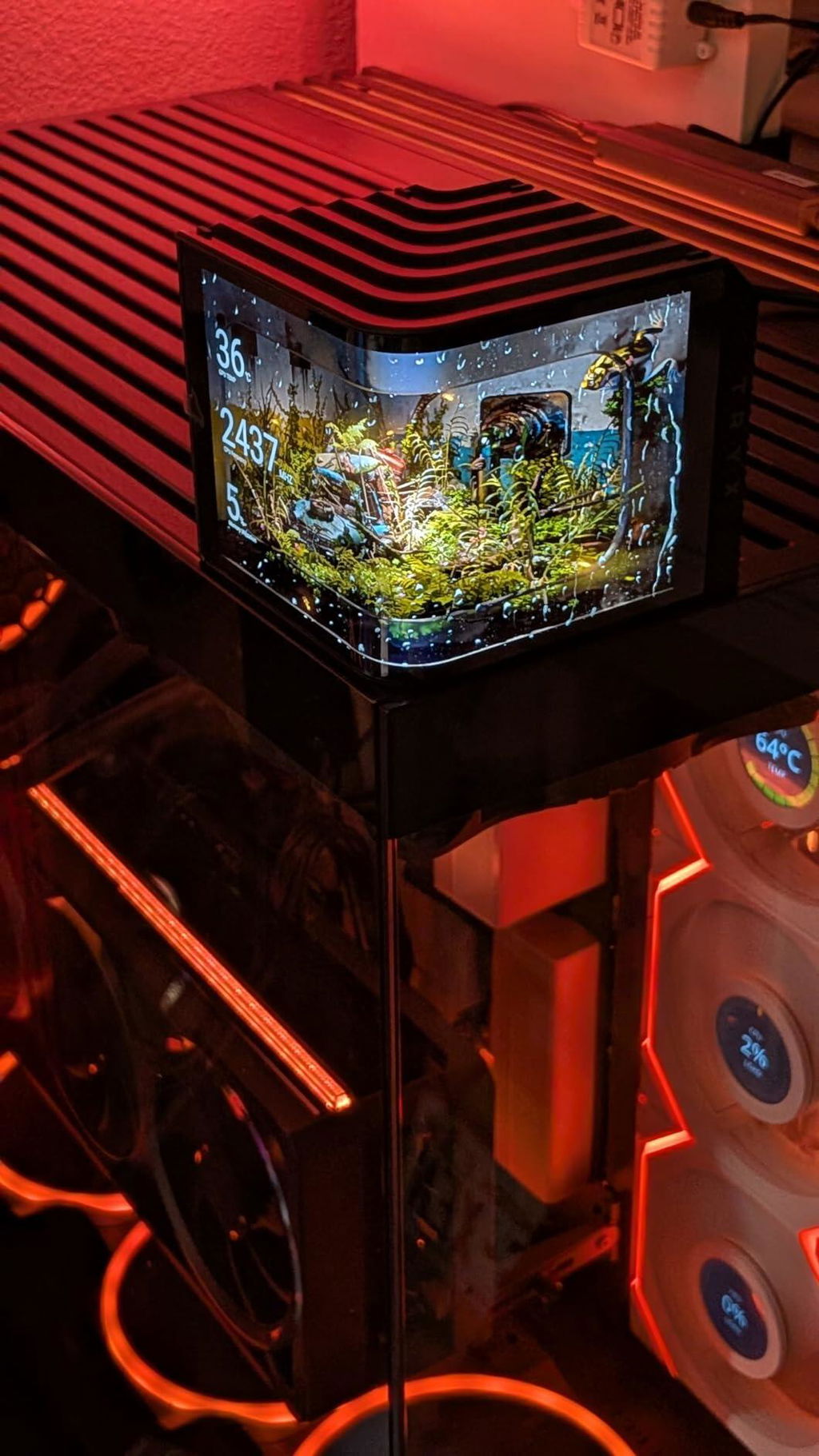
Edit: FYI, this water block does NOT contain a pump, contrary to what another reviewer is claiming.The TRYX Panorama is a new entry from TRYX, aimed squarely at custom loop enthusiasts who crave the brand’s signature AMOLED display as the visual centerpiece of their build. Built on the proven Asetek Gen8 V2 platform, it features a copper heat block, micro-convex base, and precision 0.1mm jet microchannels for efficient thermal transfer.Compatibility is broad: the Panorama supports AMD AM4 and AM5 sockets, as well as Intel 1851, 1700, 1200, and 115X platforms. Included are two TRYX-branded rotary adapter fittings that connect via standard G1/4 threaded ports—making integration with existing loops seamless.Beyond cooling, TRYX adds functional flair with a built-in fan to actively cool motherboard VRMs. The unit connects via a 4-pin fan header and USB for display control. Installation is generally straightforward, though I found the inlet/outlet orientation less than ideal for my setup—reversing them would’ve simplified tubing runs.To control the display, you’ll need TRYX’s Kanali software. It’s intuitive enough, and the results on the curved 6.5" 2K AMOLED screen are genuinely stunning. You can showcase preloaded animations or upload your own content, and the screen can also display real-time system metrics like CPU/GPU temps, memory usage, and clock speeds. It’s not just a screen—it’s a statement piece.Of course, looks mean little without performance. Thankfully, the Panorama delivers. On my Ryzen 7950X, it keeps temps well in check, and the VRM fan provides a meaningful 8–12°C drop in motherboard temps—an impressive bonus.At $239.99, the TRYX Panorama offers solid value, especially when compared to similarly performing blocks that lack its visual impact. If you’ve been eyeing TRYX’s AMOLED aesthetic for your custom loop, this is the block that brings it all together.
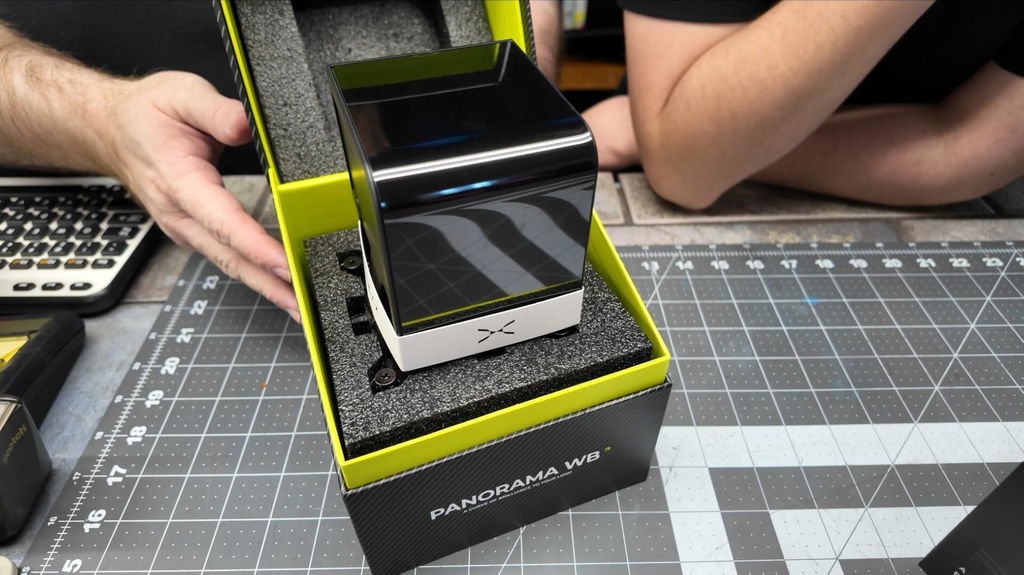
Se ve muy bien
This CPU water block with integrated display is an impressive blend of performance and visual flair. Cooling performance is solid thanks to the microchannel fin design and copper base, keeping temperatures stable even under heavy loads.The curved AMOLED screen is the standout feature. It’s bright, sharp, and adds a premium look to the build without feeling gimmicky. The display integrates nicely into the loop and gives the system a very clean, modern aesthetic. The added VRM fan is a thoughtful touch and helps with overall board cooling.Installation was straightforward, and compatibility with both Intel and AMD platforms makes it versatile. If you’re building a custom loop and want strong cooling with a unique visual element, this block delivers on both performance and style.
I love this CPU block; it looks fantastic in my system. Keeps my hot AMD 7800X3D decently cooled during gaming like BF6. Also, ensure you have the correct fitting size. Very Important.
This is such a cool CPU water block with its curved 2k OLED display! Its insanely quite and makes no noise. Quality is phenomenal. Very well built, looks and feels premium. Installation was straight forward, and as expected, it functions great keeping my CPU nice and chilly!
This is my second cooler block that has a screen and this is by far my favorite one. I love the look of this and thee way it wraps around. The wrap makes it easy to see from my full case. The software to control it is okay, could use a little polish but mangable. I am not overclocking my CPU so my temps don't get crazy, but this has been keeping my CPU to my set temps no issue. This thing looks great, functions well, recommend it if you are looking for a visual upgrade
QUICK LOOK: The TRYX Panorama WB transforms what's usually just a functional hunk of metal into legitimate eye candy without sacrificing cooling chops. That curved 6.67-inch AMOLED display isn't gimmicky—it genuinely elevates your build with customizable animations and live system stats through surprisingly user-friendly software. The copper base with micro-channel fins moves heat efficiently, the integrated VRM fan adds headroom for overclocking without drama, and the brass fittings with 360° rotation make plumbing your loop way less frustrating than rigid setups. It plays nice with most modern Intel and AMD sockets right out of the box, and you get quality extras like thermal paste and rotary adapters included. Just know the screen orientation locks in during installation—no adjusting it later like the SE model—so double-check your positioning before you commit. It's definitely a premium investment, but if you're chasing both performance and showpiece aesthetics in your custom loop, this delivers on both fronts.THE GOOD STUFF:- Curved 2K AMOLED display adds serious visual impact to your build- TRYX Kanali software is intuitive with extensive customization options- Copper base with micro-channel fins provides efficient heat transfer- Built-in VRM fan supports stable overclocking performance- High-quality brass fittings with 360° rotation simplify installation- Broad compatibility across Intel LGA 1851/1700/1200/115X and AMD AM4/AM5- Includes thermal paste and rotary adapters for flexible setup- No galvanic corrosion concerns when paired with similar-index components- Strong mix of cooling performance and premium aestheticsTHE NOT SO GOOD STUFF:- Screen orientation cannot be adjusted after installation (unlike the SE model)- Premium pricing puts it above budget water block options- Requires careful planning to ensure preferred screen positioning before mounting
This thing is sick. After my corsair xc7 lcd block died not even after a year I needed something new. This fit the bill perfectly. The screen is soo much better and with the software (which actually works pretty damn well) I can capture my own video or images to show on the screen. The added 90 degree fittings in the box were great to have as I definitely needed then to work with my custom loop.
The TRYX Panorama WB CPU Water Block is designed for custom water-cooling builds and stands out for both performance and style.It has a curved 6.67-inch 2K AMOLED display that adds a lot of cool customization in an otherwise uninteresting block of metal. The screen can show animations, system stats, or custom content through TRYX’s Kanali software, which is intuitive and offers plenty of options.On the cooling side, the copper base with micro-channel fins provides efficient heat transfer, and the built-in VRM fan adds extra stability for overclocking. The fittings are high-quality brass with 360° rotation, making installation flexible and secure. No need to worry about any galvanic corrosion assuming you use parts of a similar index.Compatibility is broad, covering Intel LGA 1851/1700/1200/115X and AMD AM4/AM5 sockets, so it can easily mount onto most builds. Additional accessories include thermal paste and rotary adapters, which can be easily attached to the standard G1/4 inlets to suit your installation needs. It should definitely be noted that the screen itself cannot be rotated like the SE can after installation, so you should make doubly sure that the cooler is installed in your preferred orientation before finalizing.Overall, it is a premium water block that combines strong cooling with eye-catching aesthetics. It is not the cheapest option, but the mix of performance, customization, and design makes it a compelling choice for enthusiasts who want their rig to stand out.
I installed this block in a custom loop on an AM5 build, and I liked the colors and brightness of the display. It fit in well with the rest of the build without appearing washed out. The display is quite nice. The screen fit nicely around the edge of the socket and made for a sleek fit. There was no coil whine or pump noise out of the housing, and the base kept it snug. Overall, the looks and readouts were different and served as a nice centerpiece in the build, and the mounting didn't seem fussy or flimsy while installing. Works and functions well for me!
Let’s get this out of the way: this is hands-down one of the most visually striking CPU blocks I’ve ever worked with. TRYX has taken their signature AMOLED magic and dropped it into the custom water cooling world with style—and it’s not just for show. That big, beautiful curved 2K screen isn’t just eye candy; it actually adds character to your build, especially in a glass-panel case. Videos pop, animations look three-dimensional thanks to the screen’s curve, and the system stats display is slick enough to impress even the most jaded PC veterans.Now, I’ve been building custom-cooled rigs since the days when thermal paste came in tiny mystery jars and cases weighed more than car tires. So trust me when I say: this block is genuinely well thought out. The copper base is thick, well-machined, and paired with dense microchannel fins that handle heat transfer like a champ. I’ve got this installed in an ultra-high-end loop—CPU, GPU, VRMs, RAM, chipset—all water-cooled, all running on a 4-channel variable flow system. With this block in place, temps hover right around ambient ±2°C. That’s impressive by any standard.Installation? Surprisingly smooth. If you’ve ever installed an AIO, you’re halfway there already. The TRYX mount is straightforward and includes all the necessary brackets for both Intel and AMD platforms. Plus, they thoughtfully include a pair of rotary 90-degree G1/4 fittings, which help keep tubing clean even in a tight layout. Just follow the installation order and plan your loop ahead of time—this thing looks best when your cable and tube runs are just as polished as the block itself.Performance-wise, the VRM fan is the sleeper feature here. It’s quiet, efficient, and actually cools your board’s hotspots—not just marketing fluff. I saw a solid 10°C drop on surrounding components with it active, and best of all, the fan noise is basically nonexistent beneath the ambient hum of case and pump fans.Software? Kanali is the kind of software you want to use. It’s intuitive, smooth, and has none of the clunkiness you'd expect (looking directly at you, every major motherboard brand). Whether you want a data dashboard or to upload custom video loops, it just works. And if you want to dive deeper, the TRYX Discord has a treasure trove of custom content from fellow enthusiasts that really pushes what the screen can do.Now, about the price—yes, it’s top-shelf. But here’s the thing: if your build is tucked away in a closed chassis with no window, this block probably isn’t for you. You're paying for form and function here. If your case puts your gear on display, though? This turns your system into a centerpiece. Compared to other high-end blocks that deliver the same cooling but zero flair, TRYX is delivering serious visual value for the money.Bottom line: it’s efficient, gorgeous, and surprisingly well-built. The screen makes your build pop, the cooling keeps your CPU happy, and the install process is beginner-friendly with just a touch of DIY plumbing skill. If TRYX drops a matching pump/res combo to go with it? My wallet’s already trembling.
This CPU water block worked well in my loop. Temps stayed where I expected, and I did not see any leaks. The display is my favorite part, and I really like how sharp and bright it looks. It is easy to read at a glance through the side panel. The housing feels solid once mounted and the fittings seated cleanly. Setup takes a bit of time to route cables for the screen, but it is manageable. Overall, I am happy with the performance, and I love the display on this block.
I do own the TRYX panorama 360 AIO and I can tell their products are top tier, the best part is their incredible functional software that works amazingly without any hiccups (looking at you Asus) the screen is an stand out, probably the best in the market right now, it's bright, vibrant and high resolution, any PC using these water block screens looks in another level.the build quality is excellent, the copper plate is thick and ample, it works with AMD and intel, but intel shows the bigger jump in chilling temps. now with this DIY water cooled edition I can customize the PC even further with more sophisticated cooling. the water block has the same VRM fan as the AIO, actually is the exact same, which is very quiet and easy to install. what worries me is the smaller inserts for the custom tubes, they're a bit narrower making the fitting a bit tricky but thanks to the rotary inserts I have no issues with the snug fit. I'm just waiting for TRYX to release the additional accessories like the water pump to complete my collection.These cooling parts are somewhat expensive, but compared to renowned brands Tryx offers a good value while turning your PC into a stunning showcase.
Very nice and easy to work with. I have only one gripe..... cold plate is about 3-5 degrees Celsius higher than most. So if over locking cpu, understand you may have a little high temps. Would I buy again, yes?
Cool Screen super slow water flow.
Screen looks fantastic. I'm still setting up a gaming system with a loop, but this looks like it should fit the bill. Unboxing was nicely presented, and feels like a premium product. I wanted to test out the screen and software, so hooked it up to one of my current systems to play around with. Easy to set up and easy to customize. You can get up to 6 sensors displayed if you set it up as a split-screen view, would be nice to have more since there's room on the screen.The screen casing actually matches my Lightbase 900 surprisingly well. The water block looks like a typical Asetek style cold plate, which I think is perfectly fine for cooling any consumer level CPUs.
I have watched a lot of videos about water cooling and the performance is very similar across a wide variety of water blocks. That is to say that the cooling is excellent. So essentially you are paying for the awesome 6.5" AMOLED screen and some great software to support it. And for that I would say it is a great value. But I was also pleasantly surprised by the quality of the fitting ports and just the overall fit and finish. The CPU plate is thick and looks perfectly milled. The VRM fan is very quiet even though I am not so sure how necessary it is for cooling. It comes with a lot of mounting options for Intel and AMD. I have a i9 14900K and there was no problem securing it to the LGA 1700 layout. That much of the installation was easy. I am still working on my hard lines so no pics yet. But I wanted to go ahead and get a review out there because it is important to know that this is an absolute unit. It looks awesome but it is really big. Make sure you have the clearance for it. Also, the software for this really takes its time to start on a boot-up. Bit that may change when I have the whole system together and running.
Awesome. The screen is perfect
Easy instal looks great and keeps my over licked ver clocked 14gen intel well below 75 degrees during heaven loads.
nice
I'm so happy that TRYX brought their awesome Panorama screen to the water loop enthusiasts. The screen stands out in any build and features some great customization options. It's a big screen in an ATX tower. The large curved screen looks amazing with it's 2k resolution and the curve actually makes some videos appear three dimensional. It's similar to some of the curved screen billboards that do the same thing. It really adds a level of wow to a builds appearance.Building a custom water loop isn't easy but TRYX does a good job making the water block installation an easy part of the process. If you've installed any AIO it's really no different securing the cooling plate onto the CPU. The difference comes in having to run your own tubes into the unit but TRYX helps by including two 90 degree fittings with very nice rotation range.The VRM fan does a great job of cooling the area around the CPU and legitimately improves performance. There's no pump built into this unit so the only noise would be produced by the VRM fan and I never hear it over any other fan in my system or the res pump. It's quiet. Don't let the videos fool you, what you're hearing in my video examples is my case fans and the pump heavily exaggerated by my iphone mic.The Kanali softwware which controls the customization of the unit is really good. It's intuitive and has some great preloaded options as well as customizing capabilities. If you want to customize, the TRYX discord has a decent sized community that provides some amazing videos to customize your rig.
I recently installed the TRYX Panorama WB CPU Water Block in my gaming rig, and I have to say, it’s been quite the experience! First off, the design is sleek and modern. The black finish looks great against my build and the curved 2K AMOLED display adds a touch of flair that really stands out.Performance-wise, the microchannel fins do a fantastic job of cooling my CPU; I've noticed a significant drop in temperatures compared to my previous air cooler. The copper base seems to enhance thermal conductivity, which gives me peace of mind during those lengthy gaming sessions. Plus, the G1/4" threaded outlet was easy to connect to my existing water cooling setup.One thing I particularly appreciate is the integrated VRM fan. It helps keep that area cool, especially when I'm pushing my system with heavy loads. The compatibility with both Intel's LGA 1851/1700 and AMD's AM5/AM4 makes it versatile if you ever decide to switch platforms.Overall, the TRYX Panorama WB has not only improved my cooling performance but also added a stylish touch to my computer. If you’re considering upgrading your CPU cooler, this is definitely a solid option!
Edit: FYI, this water block does NOT contain a pump, contrary to what another reviewer is claiming.The TRYX Panorama is a new entry from TRYX, aimed squarely at custom loop enthusiasts who crave the brand’s signature AMOLED display as the visual centerpiece of their build. Built on the proven Asetek Gen8 V2 platform, it features a copper heat block, micro-convex base, and precision 0.1mm jet microchannels for efficient thermal transfer.Compatibility is broad: the Panorama supports AMD AM4 and AM5 sockets, as well as Intel 1851, 1700, 1200, and 115X platforms. Included are two TRYX-branded rotary adapter fittings that connect via standard G1/4 threaded ports—making integration with existing loops seamless.Beyond cooling, TRYX adds functional flair with a built-in fan to actively cool motherboard VRMs. The unit connects via a 4-pin fan header and USB for display control. Installation is generally straightforward, though I found the inlet/outlet orientation less than ideal for my setup—reversing them would’ve simplified tubing runs.To control the display, you’ll need TRYX’s Kanali software. It’s intuitive enough, and the results on the curved 6.5" 2K AMOLED screen are genuinely stunning. You can showcase preloaded animations or upload your own content, and the screen can also display real-time system metrics like CPU/GPU temps, memory usage, and clock speeds. It’s not just a screen—it’s a statement piece.Of course, looks mean little without performance. Thankfully, the Panorama delivers. On my Ryzen 7950X, it keeps temps well in check, and the VRM fan provides a meaningful 8–12°C drop in motherboard temps—an impressive bonus.At $239.99, the TRYX Panorama offers solid value, especially when compared to similarly performing blocks that lack its visual impact. If you’ve been eyeing TRYX’s AMOLED aesthetic for your custom loop, this is the block that brings it all together.
Se ve muy bien
This CPU water block with integrated display is an impressive blend of performance and visual flair. Cooling performance is solid thanks to the microchannel fin design and copper base, keeping temperatures stable even under heavy loads.The curved AMOLED screen is the standout feature. It’s bright, sharp, and adds a premium look to the build without feeling gimmicky. The display integrates nicely into the loop and gives the system a very clean, modern aesthetic. The added VRM fan is a thoughtful touch and helps with overall board cooling.Installation was straightforward, and compatibility with both Intel and AMD platforms makes it versatile. If you’re building a custom loop and want strong cooling with a unique visual element, this block delivers on both performance and style.
I love this CPU block; it looks fantastic in my system. Keeps my hot AMD 7800X3D decently cooled during gaming like BF6. Also, ensure you have the correct fitting size. Very Important.
This is such a cool CPU water block with its curved 2k OLED display! Its insanely quite and makes no noise. Quality is phenomenal. Very well built, looks and feels premium. Installation was straight forward, and as expected, it functions great keeping my CPU nice and chilly!
This is my second cooler block that has a screen and this is by far my favorite one. I love the look of this and thee way it wraps around. The wrap makes it easy to see from my full case. The software to control it is okay, could use a little polish but mangable. I am not overclocking my CPU so my temps don't get crazy, but this has been keeping my CPU to my set temps no issue. This thing looks great, functions well, recommend it if you are looking for a visual upgrade
QUICK LOOK: The TRYX Panorama WB transforms what's usually just a functional hunk of metal into legitimate eye candy without sacrificing cooling chops. That curved 6.67-inch AMOLED display isn't gimmicky—it genuinely elevates your build with customizable animations and live system stats through surprisingly user-friendly software. The copper base with micro-channel fins moves heat efficiently, the integrated VRM fan adds headroom for overclocking without drama, and the brass fittings with 360° rotation make plumbing your loop way less frustrating than rigid setups. It plays nice with most modern Intel and AMD sockets right out of the box, and you get quality extras like thermal paste and rotary adapters included. Just know the screen orientation locks in during installation—no adjusting it later like the SE model—so double-check your positioning before you commit. It's definitely a premium investment, but if you're chasing both performance and showpiece aesthetics in your custom loop, this delivers on both fronts.THE GOOD STUFF:- Curved 2K AMOLED display adds serious visual impact to your build- TRYX Kanali software is intuitive with extensive customization options- Copper base with micro-channel fins provides efficient heat transfer- Built-in VRM fan supports stable overclocking performance- High-quality brass fittings with 360° rotation simplify installation- Broad compatibility across Intel LGA 1851/1700/1200/115X and AMD AM4/AM5- Includes thermal paste and rotary adapters for flexible setup- No galvanic corrosion concerns when paired with similar-index components- Strong mix of cooling performance and premium aestheticsTHE NOT SO GOOD STUFF:- Screen orientation cannot be adjusted after installation (unlike the SE model)- Premium pricing puts it above budget water block options- Requires careful planning to ensure preferred screen positioning before mounting
This thing is sick. After my corsair xc7 lcd block died not even after a year I needed something new. This fit the bill perfectly. The screen is soo much better and with the software (which actually works pretty damn well) I can capture my own video or images to show on the screen. The added 90 degree fittings in the box were great to have as I definitely needed then to work with my custom loop.
The TRYX Panorama WB CPU Water Block is designed for custom water-cooling builds and stands out for both performance and style.It has a curved 6.67-inch 2K AMOLED display that adds a lot of cool customization in an otherwise uninteresting block of metal. The screen can show animations, system stats, or custom content through TRYX’s Kanali software, which is intuitive and offers plenty of options.On the cooling side, the copper base with micro-channel fins provides efficient heat transfer, and the built-in VRM fan adds extra stability for overclocking. The fittings are high-quality brass with 360° rotation, making installation flexible and secure. No need to worry about any galvanic corrosion assuming you use parts of a similar index.Compatibility is broad, covering Intel LGA 1851/1700/1200/115X and AMD AM4/AM5 sockets, so it can easily mount onto most builds. Additional accessories include thermal paste and rotary adapters, which can be easily attached to the standard G1/4 inlets to suit your installation needs. It should definitely be noted that the screen itself cannot be rotated like the SE can after installation, so you should make doubly sure that the cooler is installed in your preferred orientation before finalizing.Overall, it is a premium water block that combines strong cooling with eye-catching aesthetics. It is not the cheapest option, but the mix of performance, customization, and design makes it a compelling choice for enthusiasts who want their rig to stand out.
I installed this block in a custom loop on an AM5 build, and I liked the colors and brightness of the display. It fit in well with the rest of the build without appearing washed out. The display is quite nice. The screen fit nicely around the edge of the socket and made for a sleek fit. There was no coil whine or pump noise out of the housing, and the base kept it snug. Overall, the looks and readouts were different and served as a nice centerpiece in the build, and the mounting didn't seem fussy or flimsy while installing. Works and functions well for me!
Let’s get this out of the way: this is hands-down one of the most visually striking CPU blocks I’ve ever worked with. TRYX has taken their signature AMOLED magic and dropped it into the custom water cooling world with style—and it’s not just for show. That big, beautiful curved 2K screen isn’t just eye candy; it actually adds character to your build, especially in a glass-panel case. Videos pop, animations look three-dimensional thanks to the screen’s curve, and the system stats display is slick enough to impress even the most jaded PC veterans.Now, I’ve been building custom-cooled rigs since the days when thermal paste came in tiny mystery jars and cases weighed more than car tires. So trust me when I say: this block is genuinely well thought out. The copper base is thick, well-machined, and paired with dense microchannel fins that handle heat transfer like a champ. I’ve got this installed in an ultra-high-end loop—CPU, GPU, VRMs, RAM, chipset—all water-cooled, all running on a 4-channel variable flow system. With this block in place, temps hover right around ambient ±2°C. That’s impressive by any standard.Installation? Surprisingly smooth. If you’ve ever installed an AIO, you’re halfway there already. The TRYX mount is straightforward and includes all the necessary brackets for both Intel and AMD platforms. Plus, they thoughtfully include a pair of rotary 90-degree G1/4 fittings, which help keep tubing clean even in a tight layout. Just follow the installation order and plan your loop ahead of time—this thing looks best when your cable and tube runs are just as polished as the block itself.Performance-wise, the VRM fan is the sleeper feature here. It’s quiet, efficient, and actually cools your board’s hotspots—not just marketing fluff. I saw a solid 10°C drop on surrounding components with it active, and best of all, the fan noise is basically nonexistent beneath the ambient hum of case and pump fans.Software? Kanali is the kind of software you want to use. It’s intuitive, smooth, and has none of the clunkiness you'd expect (looking directly at you, every major motherboard brand). Whether you want a data dashboard or to upload custom video loops, it just works. And if you want to dive deeper, the TRYX Discord has a treasure trove of custom content from fellow enthusiasts that really pushes what the screen can do.Now, about the price—yes, it’s top-shelf. But here’s the thing: if your build is tucked away in a closed chassis with no window, this block probably isn’t for you. You're paying for form and function here. If your case puts your gear on display, though? This turns your system into a centerpiece. Compared to other high-end blocks that deliver the same cooling but zero flair, TRYX is delivering serious visual value for the money.Bottom line: it’s efficient, gorgeous, and surprisingly well-built. The screen makes your build pop, the cooling keeps your CPU happy, and the install process is beginner-friendly with just a touch of DIY plumbing skill. If TRYX drops a matching pump/res combo to go with it? My wallet’s already trembling.
This CPU water block worked well in my loop. Temps stayed where I expected, and I did not see any leaks. The display is my favorite part, and I really like how sharp and bright it looks. It is easy to read at a glance through the side panel. The housing feels solid once mounted and the fittings seated cleanly. Setup takes a bit of time to route cables for the screen, but it is manageable. Overall, I am happy with the performance, and I love the display on this block.
I do own the TRYX panorama 360 AIO and I can tell their products are top tier, the best part is their incredible functional software that works amazingly without any hiccups (looking at you Asus) the screen is an stand out, probably the best in the market right now, it's bright, vibrant and high resolution, any PC using these water block screens looks in another level.the build quality is excellent, the copper plate is thick and ample, it works with AMD and intel, but intel shows the bigger jump in chilling temps. now with this DIY water cooled edition I can customize the PC even further with more sophisticated cooling. the water block has the same VRM fan as the AIO, actually is the exact same, which is very quiet and easy to install. what worries me is the smaller inserts for the custom tubes, they're a bit narrower making the fitting a bit tricky but thanks to the rotary inserts I have no issues with the snug fit. I'm just waiting for TRYX to release the additional accessories like the water pump to complete my collection.These cooling parts are somewhat expensive, but compared to renowned brands Tryx offers a good value while turning your PC into a stunning showcase.
Very nice and easy to work with. I have only one gripe..... cold plate is about 3-5 degrees Celsius higher than most. So if over locking cpu, understand you may have a little high temps. Would I buy again, yes?
Cool Screen super slow water flow.
Screen looks fantastic. I'm still setting up a gaming system with a loop, but this looks like it should fit the bill. Unboxing was nicely presented, and feels like a premium product. I wanted to test out the screen and software, so hooked it up to one of my current systems to play around with. Easy to set up and easy to customize. You can get up to 6 sensors displayed if you set it up as a split-screen view, would be nice to have more since there's room on the screen.The screen casing actually matches my Lightbase 900 surprisingly well. The water block looks like a typical Asetek style cold plate, which I think is perfectly fine for cooling any consumer level CPUs.
I have watched a lot of videos about water cooling and the performance is very similar across a wide variety of water blocks. That is to say that the cooling is excellent. So essentially you are paying for the awesome 6.5" AMOLED screen and some great software to support it. And for that I would say it is a great value. But I was also pleasantly surprised by the quality of the fitting ports and just the overall fit and finish. The CPU plate is thick and looks perfectly milled. The VRM fan is very quiet even though I am not so sure how necessary it is for cooling. It comes with a lot of mounting options for Intel and AMD. I have a i9 14900K and there was no problem securing it to the LGA 1700 layout. That much of the installation was easy. I am still working on my hard lines so no pics yet. But I wanted to go ahead and get a review out there because it is important to know that this is an absolute unit. It looks awesome but it is really big. Make sure you have the clearance for it. Also, the software for this really takes its time to start on a boot-up. Bit that may change when I have the whole system together and running.